Dental Records
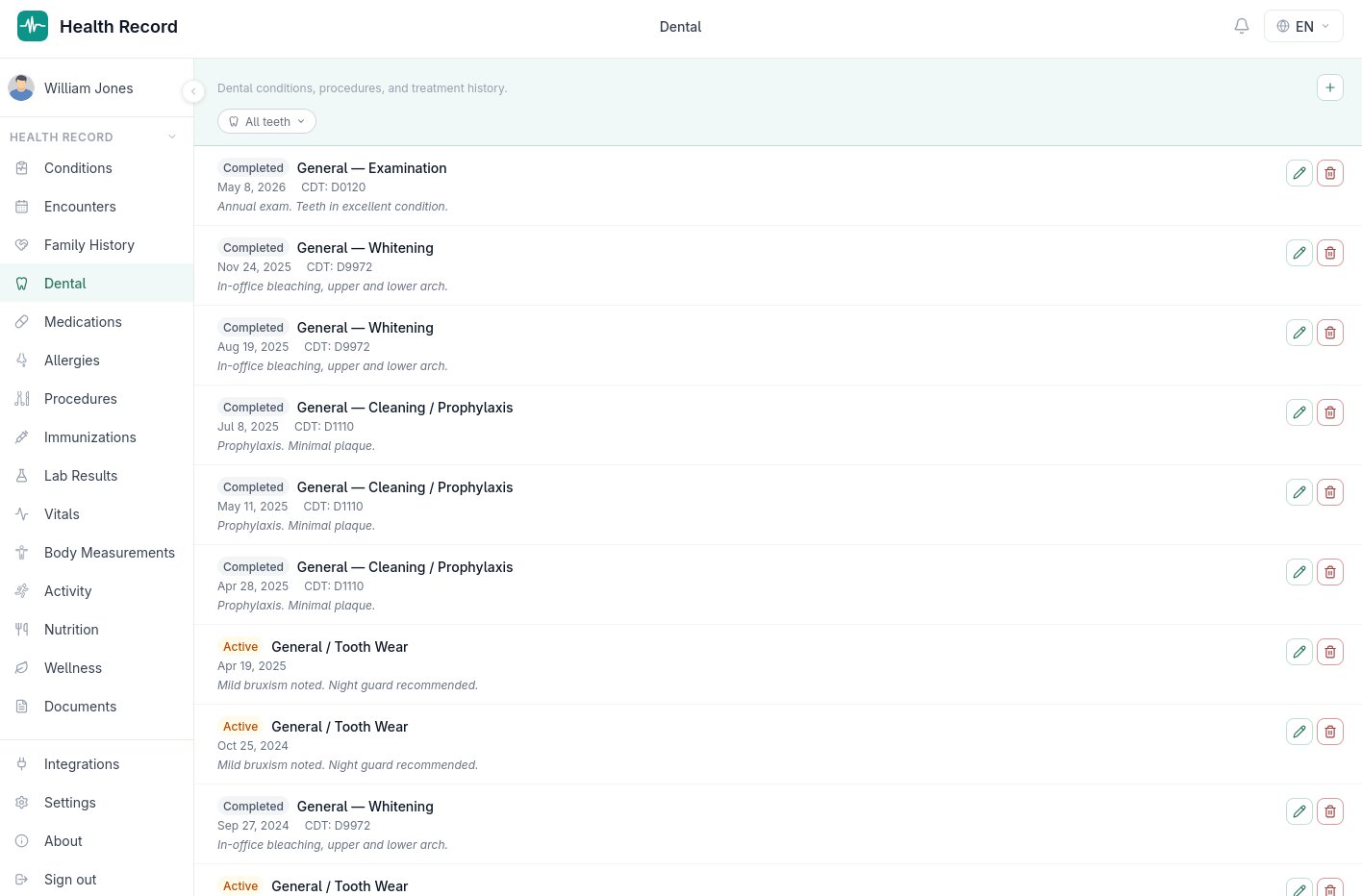
Per-tooth tracking
Dental records are tied to a specific tooth using the Universal Numbering System — teeth 1 through 32, the same numbering a dentist's chart uses — or left general/full-mouth for records that aren't specific to one tooth, like a cleaning.
Conditions and procedures
Two kinds of dental entries exist:
- Conditions — 12 types aligned with SNODENT, the standard dental terminology, covering things like caries, gingivitis, and impacted teeth
- Procedures — 18 types, each with a CDT code field (Current Dental Terminology, the standard billing/procedure code set dentists use), covering everything from a routine cleaning to a root canal
Status tracking
Each entry has one of five statuses — active, resolved, planned, completed, or cancelled — shown as a color-coded pill (amber, green, blue, gray, or red respectively) so the state of a tooth's treatment is visible at a glance without reading every note.
Why this is separate from general conditions
Dental health has its own numbering system, terminology, and procedure codes that don't map cleanly onto general medical conditions (ICD-10/SNOMED CT) or the CPT codes used elsewhere. Keeping dental records in their own structure means they're coded correctly rather than forced into a general-medicine shape that would lose the tooth-level detail a dentist actually needs.
Exporting dental records
Like every other section, dental records are included in all human-readable export formats and shown in the export dialog and shared-link section selector, so a dental history can be shared on its own without including the rest of the record if that's all that's needed.