Export & Sharing
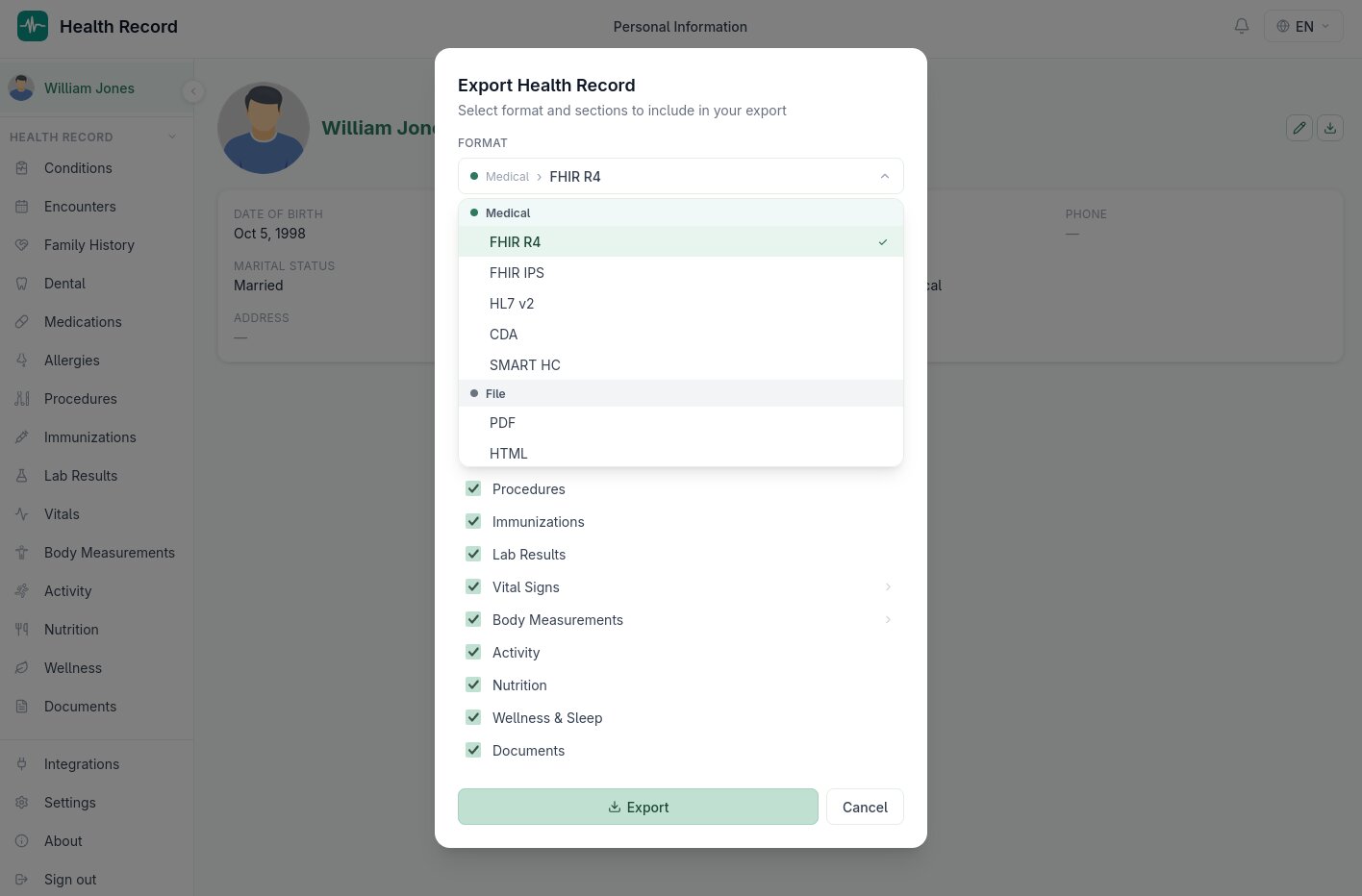
Exporting your record
From your Personal Information page's Export button, choose which sections to include (conditions, medications, vitals, labs, nutrition, and every other data type covered in this manual) and a format:
- Clinical interoperability formats — FHIR R4, FHIR IPS (International Patient Summary), HL7 v2, and CDA, readable by other EHR systems
- SMART Health Cards — a QR-verifiable, cryptographically signed credential, the same format used for portable vaccination records
- Human-readable formats — PDF, HTML, Markdown, CSV, and plain text, translated into whichever of the four supported languages you're using at export time
- Data interchange formats — JSON, XML, and vCard
Thirteen formats in total, covering everything from "a PDF to hand a new doctor" to "a machine-readable FHIR bundle for importing into another system."
Shared links
Instead of exporting a file, you can generate a shared link: a password-protected, expiry-limited URL that gives someone read-only access to selected sections of your record, without creating an account for them. You choose:
- Which sections are visible
- A password
- An expiry date
- A default display language (the person viewing the link can also switch languages themselves)
The recipient sees a read-only view with the same download options — they can grab a PDF or any other supported format directly from the shared page. Links can be revoked at any time from Settings → Sharing, immediately cutting off access regardless of the original expiry date.
Choosing a format
If you're not sure which format to use: a PDF is the right choice for handing your record to a person, a FHIR R4 bundle is the right choice for importing into another software system, and a SMART Health Card is the right choice for a portable, verifiable credential like proof of immunization.