Healthcare Encounters
What counts as an encounter
An encounter is any healthcare visit or interaction: an ambulatory office visit, an emergency room trip, an inpatient hospital stay, a telehealth call, a lab visit, an imaging appointment, a dental visit, or anything else that doesn't fit those categories. Each one has a status — planned, in progress, finished, or cancelled — so upcoming appointments and past visits live in the same list.
What each encounter records
Beyond the type and status, an encounter captures the provider's name, NPI, and specialty; the facility name and type; a reason for the visit (with a structured code, not just free text); the chief complaint in the patient's own words; a follow-up date if one was scheduled; and general notes.
List or calendar
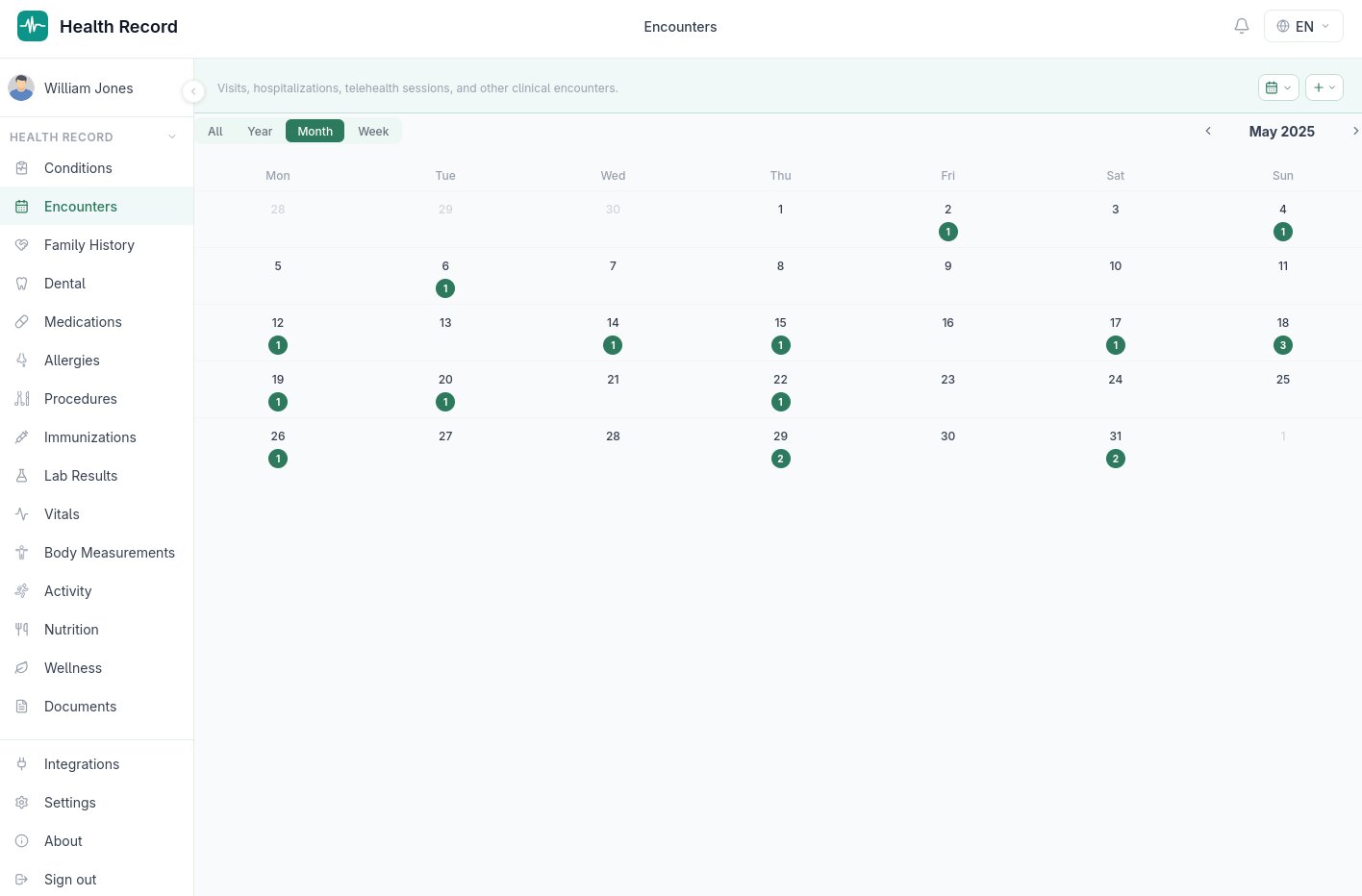
Encounters can be browsed as a simple chronological list, or as a calendar, which is genuinely a calendar rather than a list with dates attached:
- Years view — a bar chart of encounter counts per year; click a year to drill into its months
- Months view — a 4×3 grid of the year's months, each with an intensity dot showing roughly how many encounters happened that month; click a month to drill in further
- Month view — a standard Monday-through-Sunday grid with a count dot per day (hover for a quick tooltip); click a day to jump to its week
- Week view — a 7-column layout with each encounter shown as a card on its actual day
This drill-down (years → months → month → week) makes it realistic to page back through years of medical history without scrolling through a single long list.
Adding an encounter
Add offers a type-based dropdown so the form only asks for what's relevant — a telehealth visit doesn't need a facility address, for instance. Encounters, like every other section, are included in every human-readable export format.