Wearable & Device Integrations
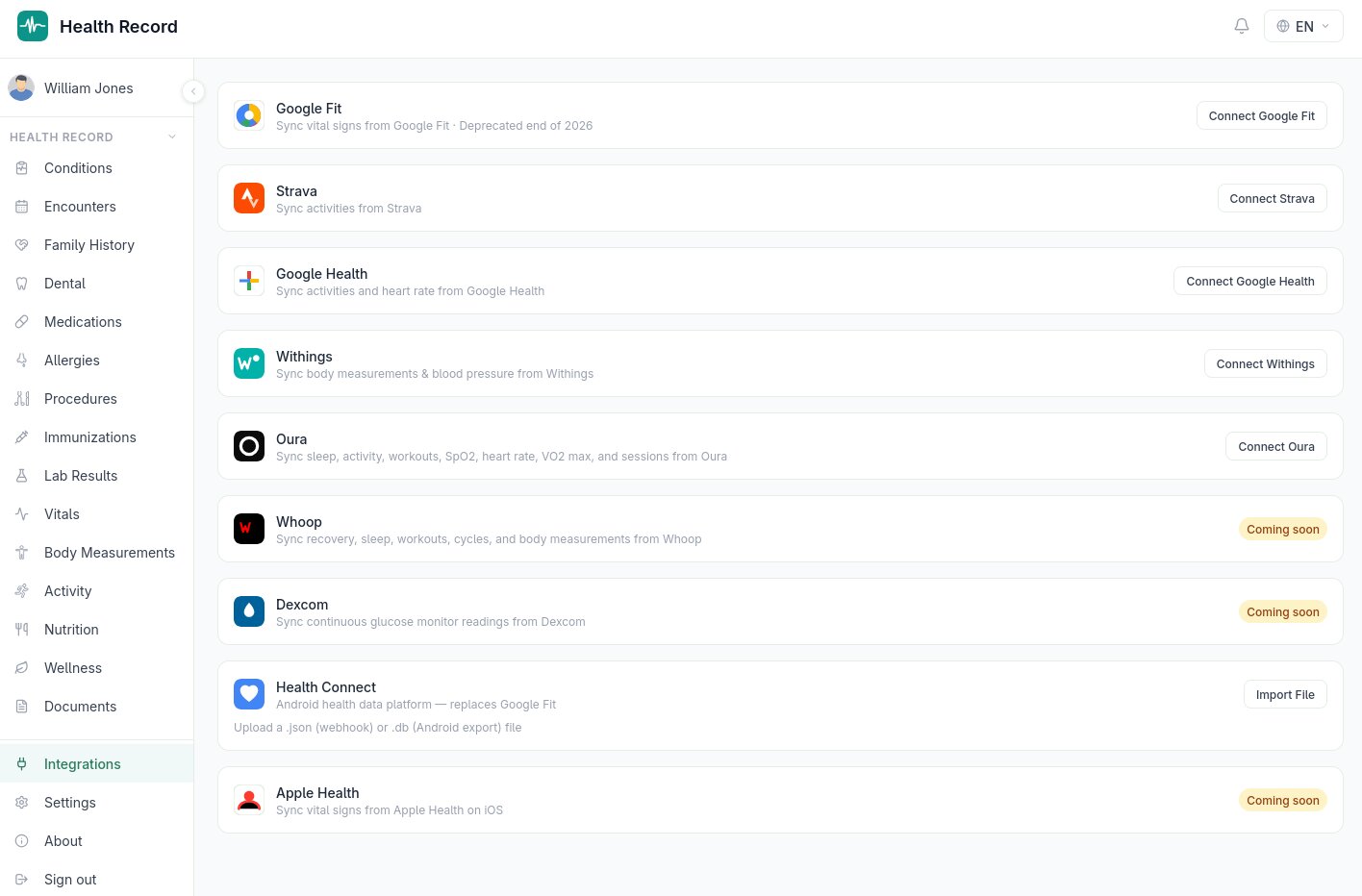
Available integrations
Integrations has its own page in the sidebar, right next to Settings (they're peers, not nested — see the Settings section of this manual). From there, you can connect:
- Google Fit — activity and heart rate data
- Strava — logged activities across 80+ sport types, GPS routes, and heart rate during workouts
- Google Health — activity and heart rate from Android's Health Connect ecosystem
- Withings — body measurements (weight, body composition) and blood pressure from Withings scales and monitors
- Oura — sleep, activity, workouts, SpO2, heart rate, VO2 max, and guided sessions from an Oura Ring
Each integration connects via OAuth — you authorize access on the provider's own login page, nothing is shared with Health Record except what that provider's consent screen says it will share, and you can disconnect at any time from the same page.
How syncing works
After connecting, use Sync now to pull recent data on demand, or let the nightly background sync handle it automatically. Each connection shows its last sync time and status, so it's always clear whether a source is actually up to date rather than silently stale.
What gets imported
Data lands in the same underlying record types described elsewhere in this manual — a synced Withings weight reading is a body measurement like any manually entered one, a synced Oura sleep session is a wellness event, and so on. There's no separate "synced data" silo; everything integrates into the same charts and exports as data you enter yourself.
Android Health Connect
On Android, Health Connect is supported as a file-based import/export rather than a live OAuth sync — export your Health Connect data as a file and import it directly, useful for consolidating data from apps that write to Health Connect but don't have a direct Health Record integration.
Coming soon
Whoop, Dexcom (continuous glucose monitoring), and Apple Health integrations are in development and will appear on this same page once ready.